Erasmus+ Course: ICT Tools for a Creative and Collaborative Classroom

In July 2024, Ms Janice Vella Muscat – a Primary Teacher from St Nicholas College, Ġanni Cilia Primary School in Mġarr – had the opportunity to attend a five-day course titled ICT Tools for a Creative and Collaborative Classroom in the beautiful city of Florence, Italy. This mobility experience was truly enriching, both professionally and culturally. The course brought together educators from various parts of Europe, including participants from Greece, Poland, Austria, Budapest, and Bilbao. It provided an ideal platform for exchanging ideas and learning about the latest innovations in the field of education technology. 
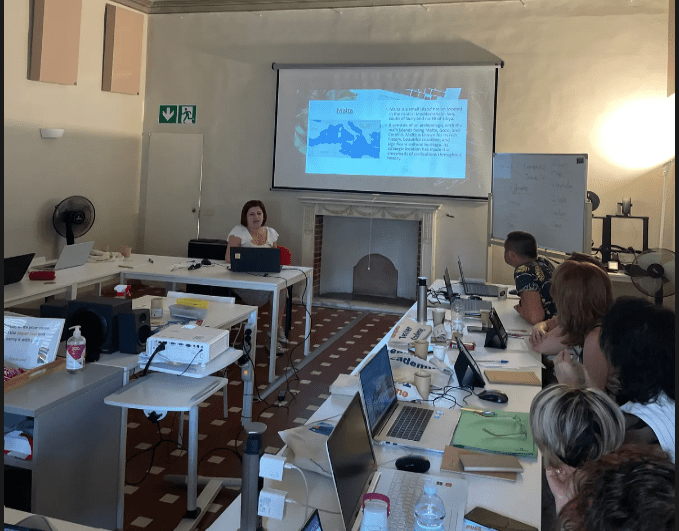
Ms Janice during her presentation on the Maltese Educational System and Mġarr Primary School

During the course, Ms Vella Muscat was introduced to a variety of ICT tools that can greatly enhance teaching and learning. Some of the key tools we explored included Padlet, Copilot, Gemini, and ChatGPT, each designed to foster creativity and collaboration in the classroom. The educators also delved into digital tools for assessment, such as Plickers, Slido, and Eduaide, which offer dynamic ways to engage students and assess their progress. These tools provide a wide range of possibilities to make learning more interactive and student-centered.
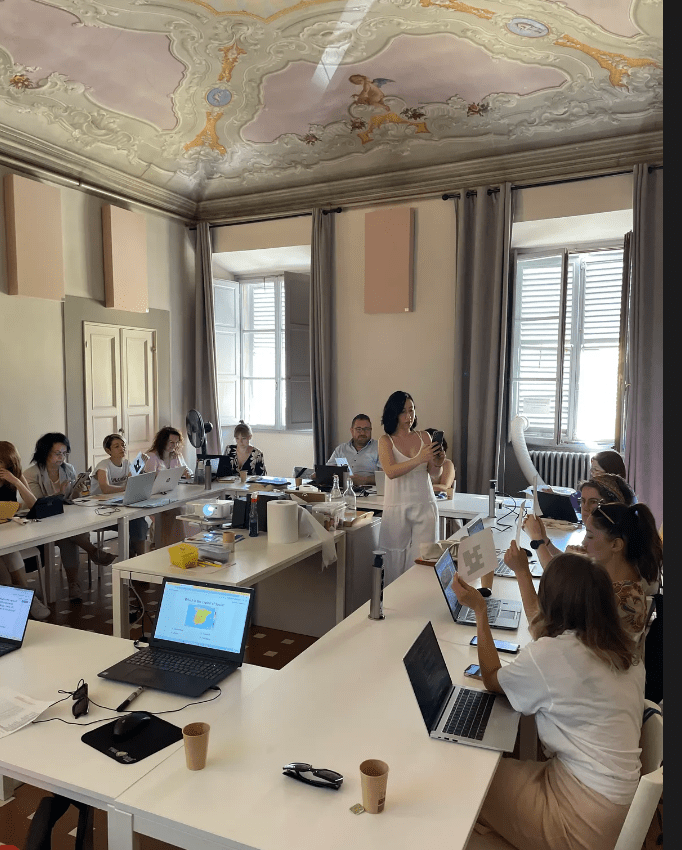
Experimenting with Digital Tools

A significant portion of the course was dedicated to exploring AI tools, which are rapidly evolving and becoming more integrated into educational settings. The discussions surrounding AI tools, especially those for image creation and content generation, highlighted the growing impact of artificial intelligence on teaching practices. This course not only equipped Ms Vella Muscat with practical ICT knowledge but also gave her a deeper understanding of how AI can shape the future of education. 
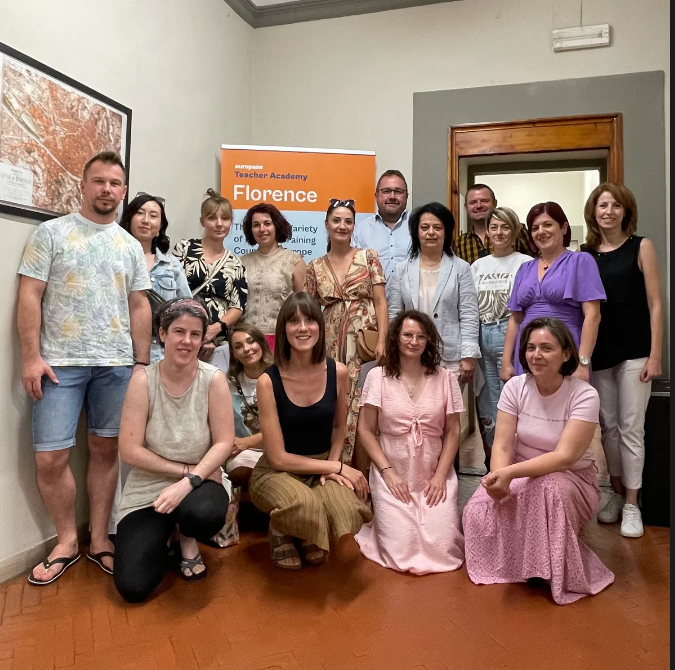
This mobility was made possible thanks to St Nicholas College Accreditation funds, co-funded by the European Union.

Virtual Library of Online Reading Material in Maltese launched

The National Literacy Agency would like to inform all parents, educators, and students that on 23rd April 2021Malta Libraries, in collaboration with Octavo, launched a virtual library of online reading material in Maltese. The launch formed part of the celebrations of Malta Libraries to mark Libraries Day 2021 which coincided with World Book and Copyright Day. This year’s theme of the celebrations was ‘Technology as the key to Maltese Literature’.
This digital library service, which is accessed via the Octavo reading platform and app, is free to the public and accessible 24/7.

Continue reading

TEAMS Tutorials for Students

The Directorate for Digital Literacy and Transversal Skills wants to ensure that all students are able to access their virtual classrooms on Microsoft Teams and receive and send assignments.  For this reason we have prepared a video showing important tasks when using Microsoft Teams.  Click on each of the below to learn how to use various features of Microsoft Teams.  

Accessing TEAMS on your Device:

Viewing TEAM Posts:

Viewing and Downloading Files:

Different Types of Assignments:

Add your work to an Assignment:

Fill in a Word Document Assignment:

Add a Picture to a Word Document Assignment:

Fill in a NOTEBOOK Worksheet

Add a picture to a NOTEBOOK Worksheet:

Quiz Assignments:

Channels on TEAMS:

Chat Feature on TEAMS:

General Info on TEAMS Meetings:

Posters By Dingli Secondary School Students To Celebrate Safer Internet Day

As part of the Safer Internet Day Activities held in school during PSCD Lessons, Ms Melanie Cini and her students of St. Nicholas College, Secondary School, Dingli,  teamed up with their European Twinning partners  of  the eTwinning project Think, Act, Inspire! to  work on various topics within the PSCD Curriculum.  These past few weeks, students worked on various aspects of internet safety in class, online and on Twinspace. In  mixed national teams, students created tips and slogans which were then transformed into posters available to be printed and shared in schools.

Continue reading

Digital Resources For Educators, Parents And Students

The Directorate of Digital Literacy and Transversal Skills is extending its support service in the primary sector through a newly launched website that contains digital resources for educators, parents and students.

Educators can find a wealth of resources including teaching ideas, tutorials of how to use various apps and web2.0 tools as well as printable material. The website also includes links for professional development, training opportunities and other events. Video tutorials and help files will also be of benefit for parents and students, enabling them to access and make use of the digital resources used by schools and educators.

The website is available at: https://primarydigital.skola.edu.mt/

Important Updates for Educators – Platforms for Teaching and Learning

Screen Shot 2020-04-29 at 10.30.16

Fronter phasing out

Kindly note that Fronter will be phasing out and will close in November 2020 due to its old functionalities which are not supported any longer by the provider. Hence you are encouraged to download any useful files by 30th October 2020. We recommend that you upload your files on One Drive to be easier for you to share with your students. Please find step-by-step instructions on how to download your files from Fronter here. Alternatively, you can also download the following presentation.

Ilearn email account

Please note that the Ilearn email account (name.surname@ilearn.edu.mt) will not be effected and this will still be used when Fronter is closed.

The way forward

My School and Microsoft Teams will complement each other to carry out any activity that you need both in class and for online teaching and learning. This includes taking attendance, recording assessment, sending announcements to parent and students, sending work to students, receiving students’ work, correcting work and giving feedback, communicating and more. Teleskola.mt is another useful platform to share resources with students, educators and parents. These platforms are already widely used by educators, school leaders, students and parents.

We encourage you to learn more on:

Teams: https://support.office.com/en-us/teams

My School: https://support.msm.io/hc/en-us/sections/201677905-General

Teleskola: https://teleskola.mt/

For further info and support please join the new MS Team named ‘Fronter’ by clicking here.

Watch Teleskola on TVM2 every Tuesday and Thursday Afternoon!

Teleskola – Your School at Home – was built to help parents, guardians, students and educators to easily find distance learning resources and lessons. Currently there are over 1,500 lessons across all subjects. You can also watch Teleskola on TVM2 every Tuesday and Thursday at 15:30. Another opportunity for students along with their families to continue their learning at home!