Watch the video of the seventh episode of Kikkra Matematika Mid-Dar ! This project is produced entirely by the Primary Maths Support Team (DLAP – MEDE).

Watch the video of the seventh episode of Kikkra Matematika Mid-Dar ! This project is produced entirely by the Primary Maths Support Team (DLAP – MEDE).
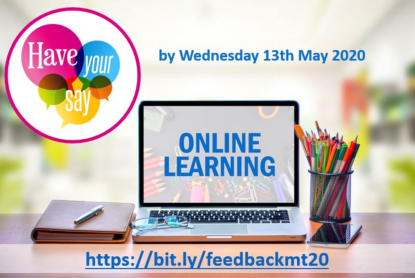
Heads of Schools and Educators are encouraged to have their say about online teaching and learning by answering this short questionnaire – https://bit.ly/feedbackmt20 – by next Wednesday 13th May 2020. The aim of this questionnaire is to help the Directorate for Digital Literacy and Transversal Skills (DLTS) understand which digital tools are used for distance learning and what further support is required for improvements.
 Little Angels Worksheets is a Facebook Page full of downloadable materials, activities and worksheets for early years students, starting from Kindergarten level. New content is added everyday. Visit their page to access their (free) worksheets and resources.
 STEM UK aims to achieve a world-leading STEM education for all young people. Supported by a unique partnership of Government, charitable trusts and employers, STEM UK are dedicated to raising young people’s engagement and achievement in STEM subjects and careers. Their website offers a myriad of information as well as downloadable lessons for teachers and students. Visit the STEM UK website to access resources across a wide range of STEM subjects, including Digital Literacy, Science, Mathematics, Computing, and Design & Technology.
The European Schoolnet Academy is offering the EU Code Week Icebreaker re-run. This five-hour online course introduces participants to EU Code Week and what it offers, and from the last edition it has been slightly adapted to take into account that the majority of teachers are currently teaching remotely. It includes engaging content along with new activities, ideas, and resources to teach coding in a fun and educational way, anytime, anywhere. This short course is now open for registration, will start on 11 May 2020 and run for five weeks. Register now: https://bit.ly/ICEBREAKER2020
 The Directorate for Digital Literacy and Transversal Skills in collaboration with the Directorate for Research, Lifelong Learning and Employability is pleased to present a webinar series based on selected topics by EPALE Ambassadors in Malta to support educators and adult learning professionals to harness the potential of education, training and technology. Each webinar will last one hour and include an opportunity for Q&A. Details on how to access each individual session will be sent by email to each registered participant. A certificate of attendance will be issued to all participants. Continue reading

Tackling online safety issues, such as digital reputation, fake news, screen time, cyberbullying or sextortion, is becoming increasingly important these days. The tips for parents, teachers and students compiled in this booklet will show you where to start!
Click here to access the booklet: eSafety Booklet for Students, Parents and Educators.
 Axel Scheffler has illustrated a digital book for primary school age children, free for anyone to read on screen or print out, about the coronavirus and the measures taken to control it. Published by Nosy Crow, and written by staff within the company, the book has had expert input: Professor Graham Medley of the London School of Hygiene & Tropical Medicine acted as a consultant, and the company also had advice from two head teachers and a child psychologist. Continue reading
In this second episode of Learning Tutorials developed by St. Nicholas college, you will find a step-by-step guide of how to use the screen casting feature on Google Chrome – Screencastify – in order to create screen casts (snapshots of your screen) to share with your students. Screencastify can be downloaded for free from the Google Store and will be integrated into your Google Chrome taskbar. Watch the video tutorial here:
St. Nicholas College is preparing a set of learning tutorials for educators to use for online teaching. In this first episode, you will find a step-by-step guide of how to use the voice and video recorder features on the site 123Apps that allows you to record videos and take pictures with your webcam. All you need is a web camera and a good internet connection. This can be used to explanatory videos for students to watch from home.
Click on the following video to view this tutorial:
 St.Nicholas College Malta